
what are the Benefits of Using Bob CAD-CAM Software: Why Thousands of Shops Rely on It

Choosing a CAD-CAM package is one of the more consequential decisions a CNC shop makes — it shapes how fast parts get programmed, how many setups a job needs, and ultimately how competitive a quote can be. Bob CAD-CAM has spent decades building a name in this space, and looking at what the company highlights about its own software makes it easy to see why so many shops, from home-shop hobbyists to aerospace suppliers, have stuck with it. Here's a rundown of the real, practical benefits.

1. Built by Machinists, for Machinists
Bob CAD-CAM has been developing CAD-CAM software since 1985, and much of its engineering team started their careers on the shop floor — programming, setting up, and running CNC machines themselves. That background shows up in how the software is designed: it's built around the problems machinists actually run into every day, not just a feature checklist assembled by outside developers. The company positions this as its core differentiator, and it's a meaningful one — software written by people who've stood at a control panel tends to solve different problems than software written purely from a spec sheet.

2. One Integrated CAD-CAM Environment
Rather than forcing a shop to design in one program and program toolpaths in another, Bob CAD-CAM combines CAD and CAM in a single interface. That means a part can move from geometry creation straight through toolpath generation, simulation, and G-code output without exporting files between separate systems — removing a common source of translation errors and wasted time in shops running mixed-vendor software stacks.

3. Modular Pricing That Scales with Your Shop
Perhaps the most practical benefit for cost-conscious buyers is Bob CAD-CAM's modular structure. Rather than one fixed package, the software is built so a shop can license exactly the capability it needs — 2.5-axis milling, lathe, router, mill-turn, or 4- and 5-axis machining — and add modules later as the work demands it. This is why the company markets itself as suited to everyone from hobbyists and home-shop machinists up to full-scale manufacturers, without forcing either end of that spectrum to overpay for capability they don't use.
4. Faster, More Guided Programming
A recurring theme across Bob CAD-CAM's feature updates is reducing how long it takes to go from part model to finished toolpath. The Wizard-Driven Interface walks programmers through toolpath setup step by step, and the latest V38 release added a CAM Wizard with real-time feedback, generating toolpaths instantly as parameters are adjusted so programmers can see the result of a change without a separate calculation step. V38 also introduced contextual help built directly into the wizard — hovering over a parameter surfaces a definition and guidance on the spot, which shortens the learning curve for shops training new operators.
5. Productivity-Focused Toolpath Technology
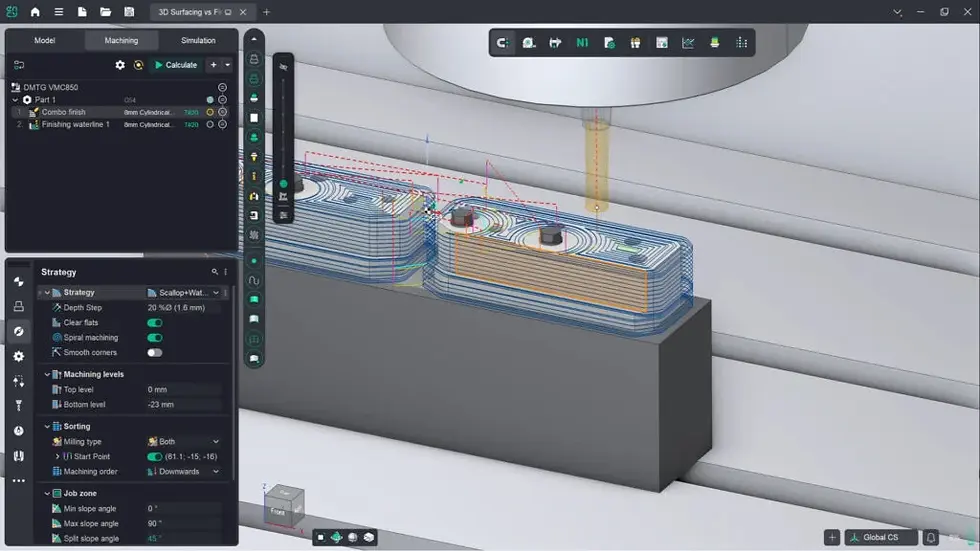
Bob CAD-CAM's Dynamic Machining Strategies are built around high-speed, adaptive roughing — removing material more efficiently while reducing tool wear. On top of that, recent updates have added practical, shop-floor-driven refinements: variable depth control in 2-axis milling for aggressive roughing paired with lighter finishing passes, smarter rest-machining that automatically catches areas a previous tool couldn't reach due to flute length, and refined boundary trimming to reduce gouging risk near edges. These aren't abstract features — they map directly onto everyday problems programmers run into on real parts.
6. Purpose-Built Multiaxis Capability
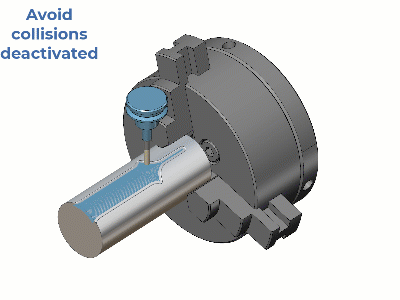
For shops moving into 4- and 5-axis work, Bob CAD-CAM includes toolpaths designed specifically for that transition rather than treating multi axis as a 3-axis add-on — including automated indexed roughing, specialized finishing patterns for blades and hubs, and strategies for machining ports and other hard-to-reach interior geometry. Recent updates have also improved rotary machining specifically: better collision avoidance, expanded lead-in/lead-out options, and 5-axis deburring that favors stable 3+2 motion over abrupt repositioning — all aimed at safer, more predictable multiaxis programming.

7. Support and Training That Continues After the Sale
Bob CAD-CAM backs its software with a substantial training operation — reportedly more than 90 hours of monthly training events, most of them free to attend — plus seminars and online certification programs that let operators become certified on the software itself. The company also reports a 4.9 customer service rating, and offers tiered support membership options so shops can choose the level of ongoing assistance that fits their budget. For a category where a poorly supported tool can cost a shop real production time, that ongoing training pipeline is as much a "benefit" as any single feature.
8. A Track Record Backed by Real Numbers
Bob CAD-CAM reports over 150,000 licenses in use worldwide, spanning shops of every size and industry — a scale that reflects nearly four decades in the CAD-CAM market. Long-time customers echo that in their own words: Joshua Lee of JDA Customs describes it as "a very good solution at an economical price," while users like Andy McConnell of CAM Forge and Rick Perbeck of Music Medic point specifically to the training resources and long-term reliability as reasons they've stuck with the software for years.

9. Affordable Across the Entire Spectrum
Bob CAD-CAM also runs a dedicated education initiative, Manufacturers of the Future, offering schools and students discounted software packages bundled with training tutorials — extending the same modular, scalable pricing philosophy into classrooms preparing the next generation of machinists. It's a good illustration of the company's broader approach: rather than one-size-fits-all pricing, capability and cost are matched to who's actually using the software, whether that's a student, a home-shop hobbyist, or a full production floor.
The Bottom Line
The benefits Bob CAD-CAM highlights about its own software line up around a few consistent themes: software shaped by real machining experience, one connected CAD-to-G-code workflow, pricing that scales instead of forcing an all-or-nothing purchase, and a support and training structure built to keep customers productive long after the initial sale. For shops evaluating CAD-CAM options, that combination — practical toolpath technology backed by a genuine support infrastructure — is worth weighing alongside any feature list.


Comments